

Read this first
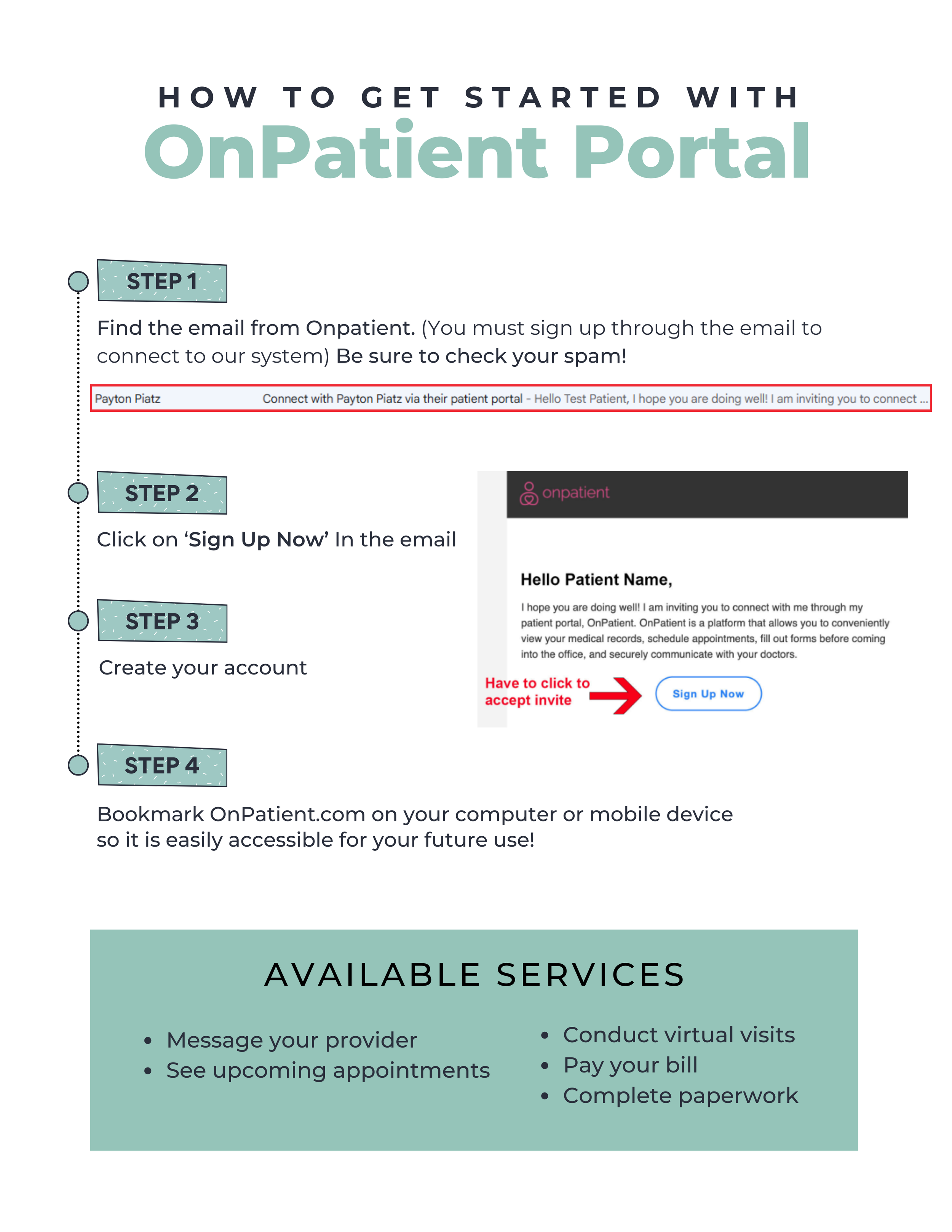
You cannot sign up for OnPatient without the email invitation from our office.
If you try creating an account directly on OnPatient.com, it will not connect to Progress.
Step 1 is finding that email. If you do not see the invitation email, check your spam or junk folder first. If it is not there, contact our office and we will resend it.
Now follow the instructions below.
Common Problems and How to Fix Them
Problem: I tried signing up on OnPatient.com and it did not connect me.
Solution: You must use the invite link from our email. Contact us to resend it.
Problem: I cannot find the email.
Solution: Check spam. Then call us to resend.
Problem: It says my email is already in use.
Solution: Try logging in instead of creating a new account. Click on “forgot password” if you can’t remember making a password.
Problem: My screen is blank/I am getting an error message.
Solution: Refresh, refresh, refresh! Refresh until something comes up!
You’re Not Done Yet
After you create your OnPatient account, you must complete your appointment check in.
Creating the account does not automatically check you in.
Click below to complete the next step: